
HappyTyping
Custom Typing Practice Software with Article Reading and Progress Tracking
HappyTyping is a customizable typing practice software for Windows that helps users improve typing speed, accuracy, and language skills using their own content. Import articles, documents, or pasted text, listen with built-in text-to-speech, and practice line by line with clear WPM and accuracy feedback.
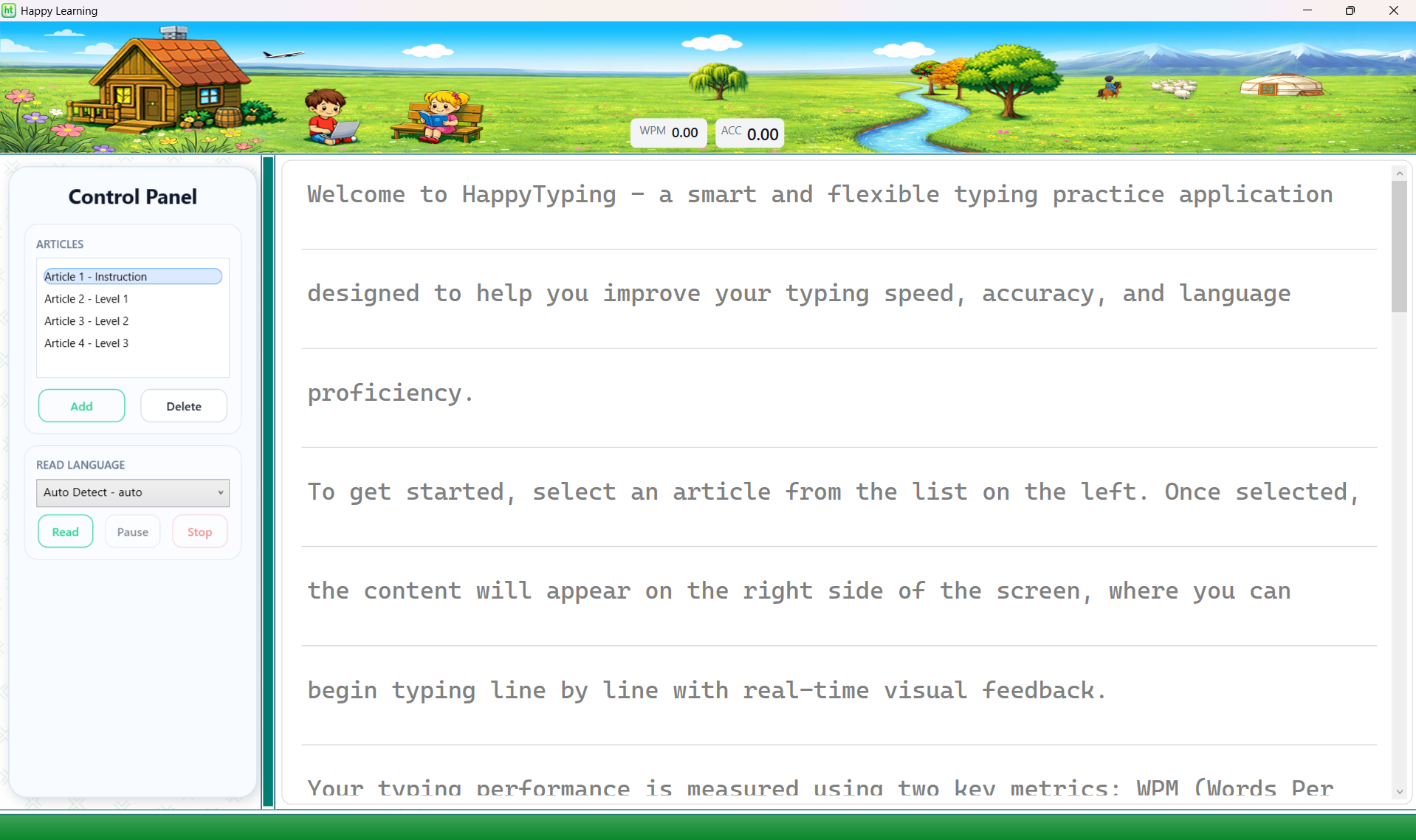
A clean typing practice layout with real-time WPM, accuracy, and Read/Pause controls.
What Is HappyTyping?
HappyTyping is a typing practice software that allows you to practice with your own content instead of only using fixed lessons. You can import text files, PDF documents, and Word documents, or simply paste text directly into the app to create a personalized typing experience.
It is designed for students, language learners, families, teachers, and anyone who wants to improve typing speed and accuracy while working with meaningful real-world text. Built-in text-to-speech also lets you listen to articles while typing, making HappyTyping useful for both typing practice and language learning.
If you are looking for custom typing software, typing practice with your own articles, or a typing app with article reading support, HappyTyping is a simple and practical solution.
Key Features
Practice with your own content
Import your own articles, lessons, notes, stories, and learning materials for personalized typing practice.
Read aloud while you type
Use built-in text-to-speech to hear the content, improve listening, and reinforce pronunciation while practicing.
Track WPM and accuracy
See your typing speed and accuracy clearly so you can measure progress over time.
Line-by-line typing practice
Stay focused with a clean line-by-line workflow that makes long articles easier to practice.
Pricing
Product: HappyTyping
Price: CAD $7
License: Lifetime license for one purchase
Free Trial: 7 days
Refund Policy: Full refund available within 14 days of purchase
Support: admin@happylearning.academy
HappyTyping is sold as a digital software product for Windows.
Learn Languages While You Type
HappyTyping supports multilingual text content, so you can practice with English, Chinese, Japanese, French, and many other languages. With Read Aloud, learners can listen to sentences and improve pronunciation more effectively.
Listening
Use Read Aloud to build listening skills and hear natural sentence rhythm.
Pronunciation
Listening helps learners imitate correct sounds and speak with more confidence.
Typing Progress
Line-by-line practice with WPM and accuracy feedback makes progress easy to see.
How to Use HappyTyping
Select content
Choose an article from the list, import your own file, or paste text directly into the app.
Listen first, then type
Click Read to hear the text, then type line by line to practice spelling, rhythm, and focus.
Review speed and accuracy
Track your WPM and accuracy as you practice and improve over time.
Tip: Repeat the same article several times and focus on accuracy first.
Import or Paste Your Own Content
Supported formats: .txt, .pdf, .docx
Text encoding: UTF-8 recommended for best multilingual support
Quick input: Paste text instantly using Ctrl + V
HappyTyping allows you to practice with your own content. You can import text files, PDF documents, or Word documents, making it easy to use real articles and learning materials.
You can also quickly paste any text directly into the app. Simply delete the current article and press Ctrl + V to start practicing immediately.
Tip: For best results with multilingual content, save text files using UTF-8 encoding to avoid character display issues.
Install Languages and Voices (Windows Guide)
To display and pronounce different languages correctly, install the language pack and the Text-to-Speech voice in Windows.
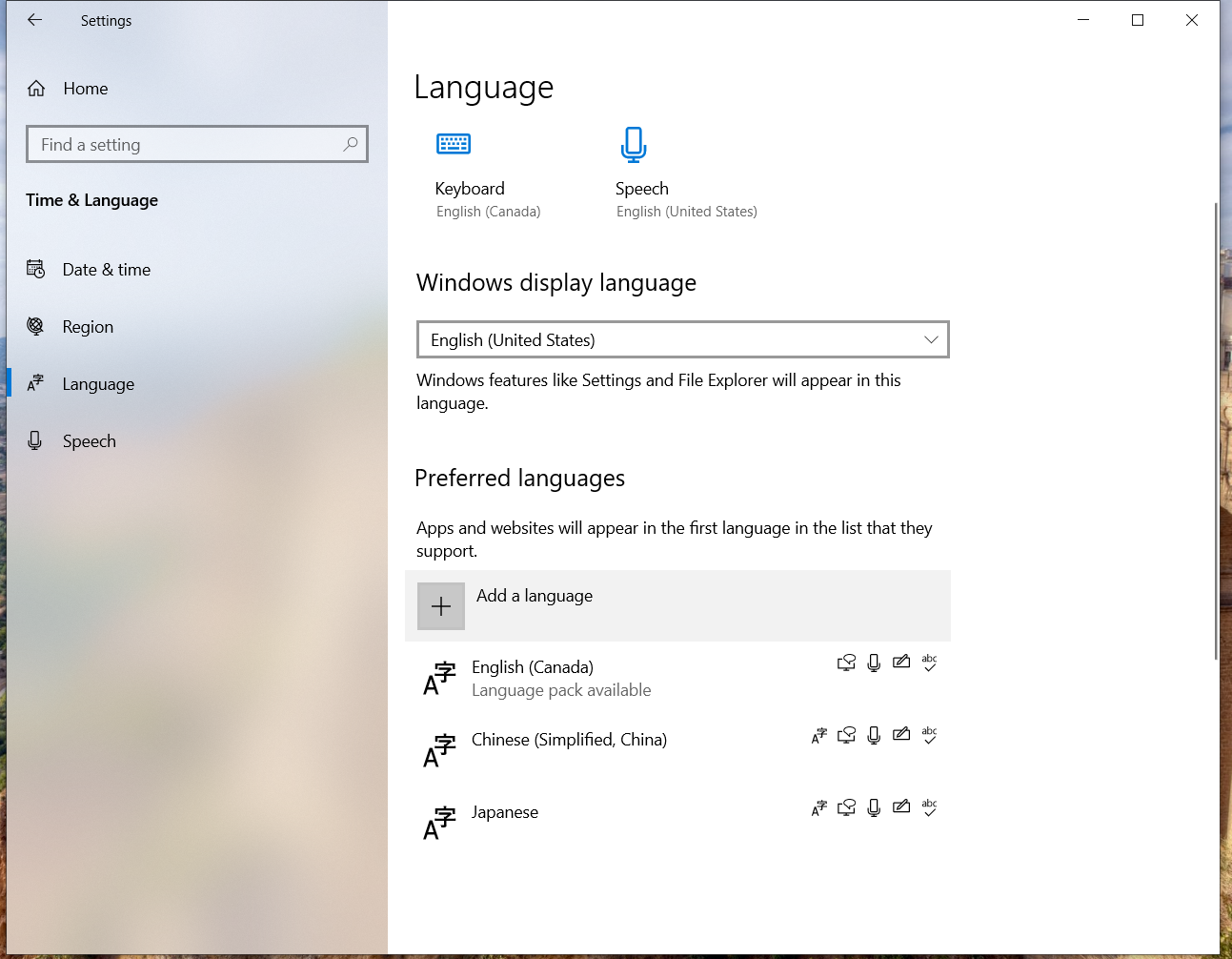
- Open Settings
- Go to Time & Language → Language & Region
- Click Add a language and install it
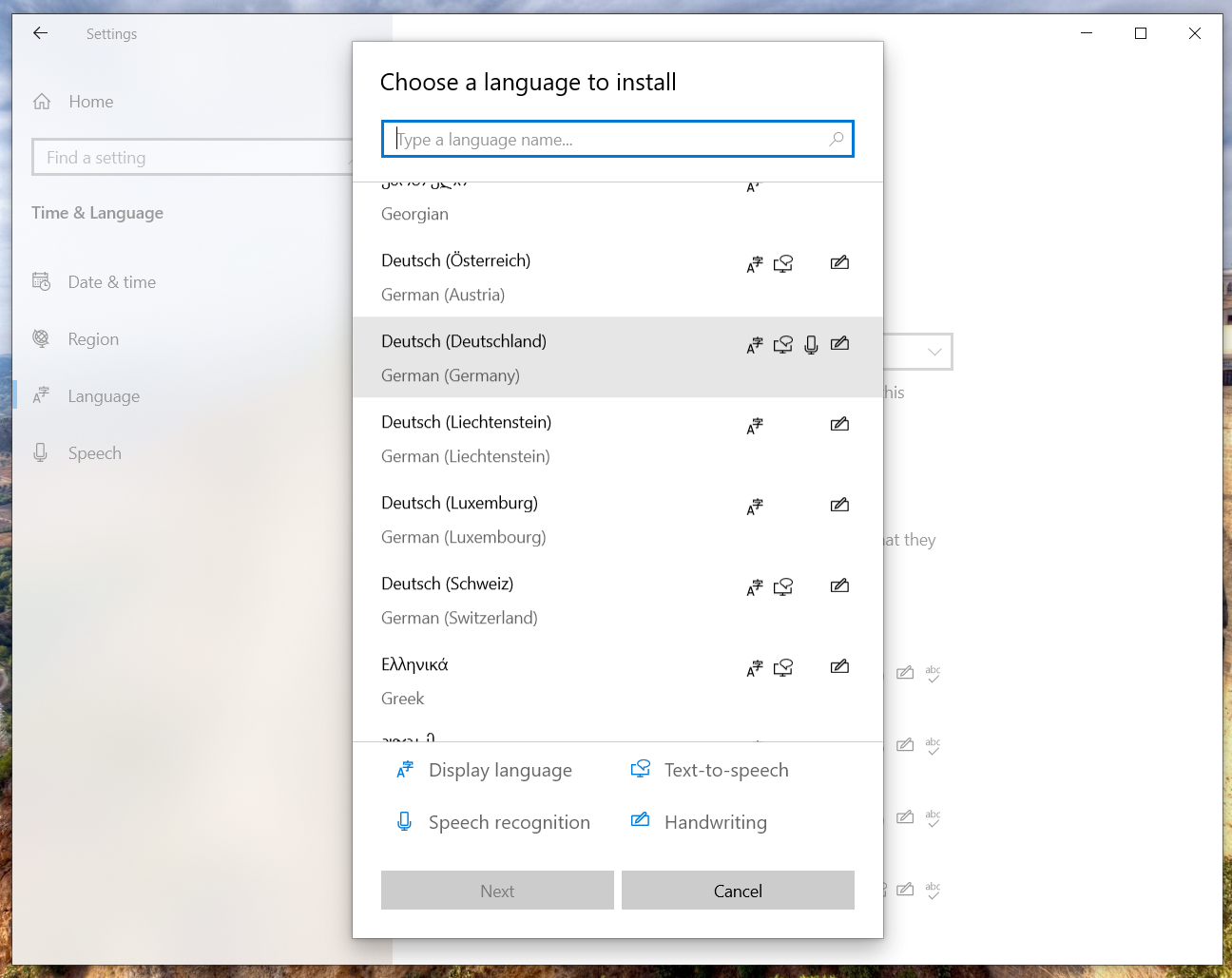
- Open Settings
- Go to Accessibility → Speech
- Download or select voices for your language
Some languages require additional speech components to be downloaded.
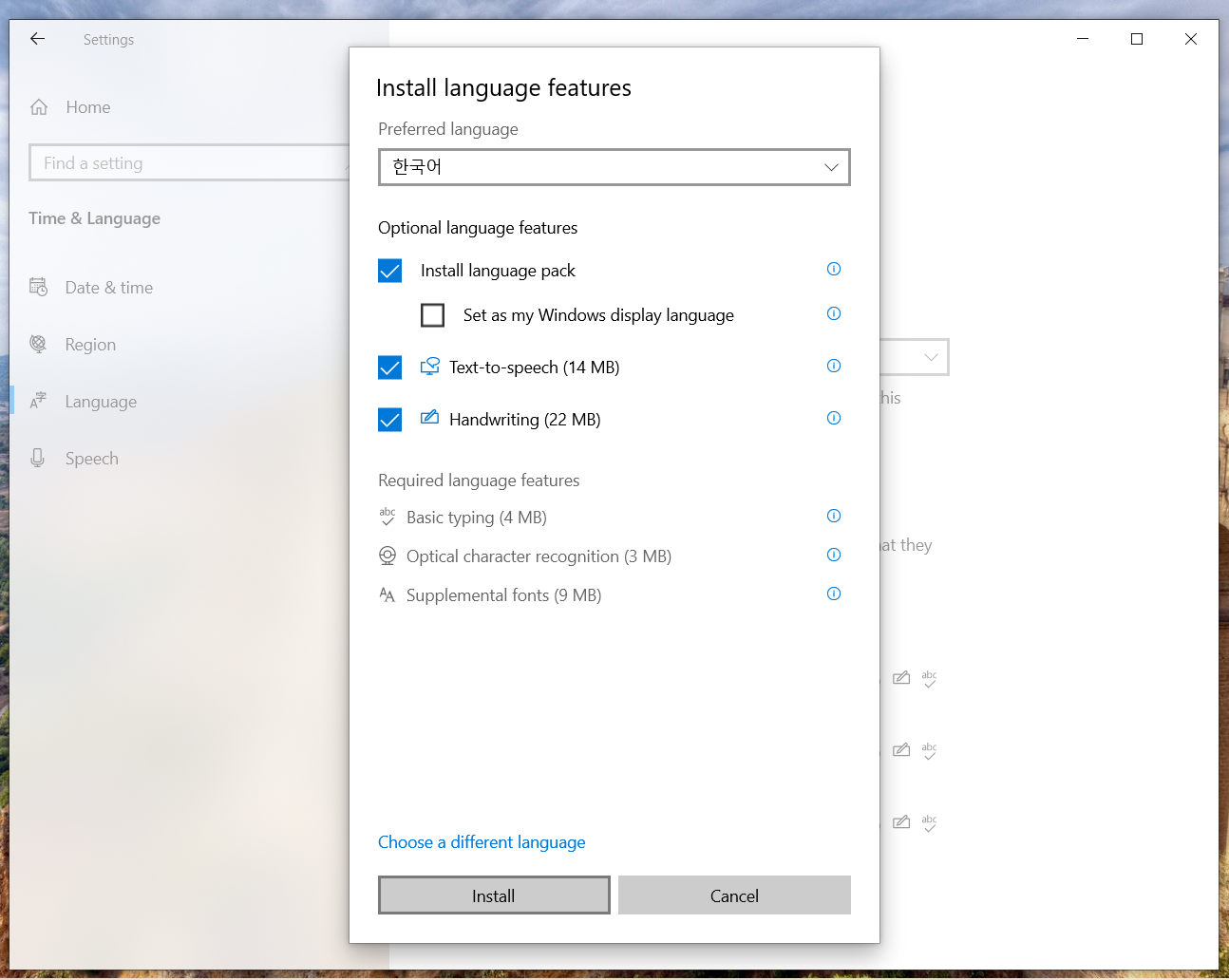
- In Language & Region, choose the language
- Add the keyboard or input method you need
- Switch input methods quickly with the Windows language switcher
Who Is It For?
- Students learning English or other languages
- Families who want practical language practice at home
- Teachers who want structured typing and listening exercises
- Language learners who want to practice with real articles
- Anyone who wants better focus, speed, and accuracy on the keyboard
Frequently Asked Questions
Can I use my own content?
Yes. You can import TXT, PDF, and DOCX files, or paste text directly into the app.
Does HappyTyping support text-to-speech?
Yes. HappyTyping includes Read Aloud support so you can listen to content while practicing.
Can I practice different languages?
Yes. HappyTyping supports multilingual text, and voice support depends on the language packs and voices installed in Windows.
Does it show typing speed and accuracy?
Yes. HappyTyping tracks WPM and accuracy so you can see your progress clearly.
Is there a free trial?
Yes. You can try HappyTyping free for 7 days before buying a lifetime license.
Why HappyTyping?
HappyTyping is ideal for anyone looking for typing software that supports custom content. Whether you want to practice typing with your own articles, improve English through typing, or use text-to-speech to strengthen listening skills, HappyTyping provides a flexible and practical solution for daily practice.